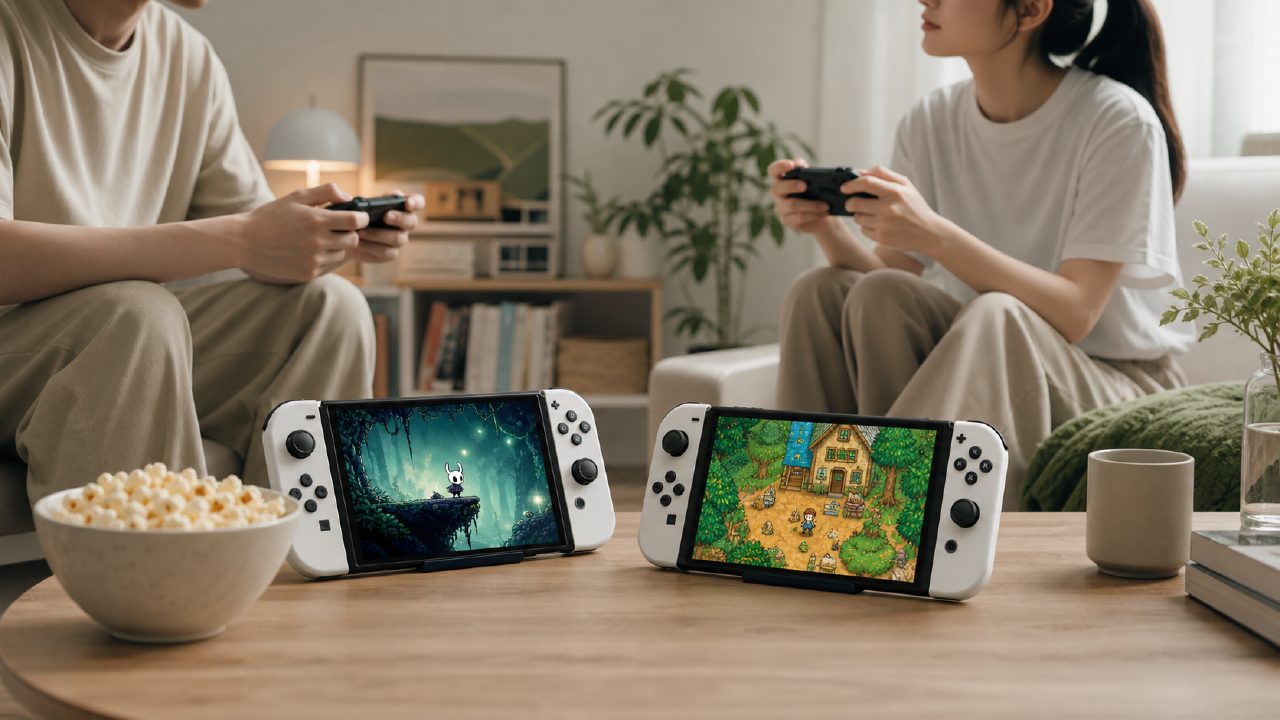
After buying the OLED Switch, I once fell into a cycle of "turn it on → browse the store → exit → put it back on the dock." The machine is beautiful, but playing alone on a big screen felt a bit lacking. It wasn't until last month that I found a shared gaming partner on Xingba to play two-player games together, and I seriously started tinkering with the handheld mode of this device—truly the Handheld experience.
Step One: From Shared Play to Sharing Joy-Con
My partner had never owned a Switch before, and I only had the standard gray Joy-Con. For two people to play games like Overcooked 2, which require separate controls, the first issue was the lack of controllers. I tried letting him use the Pro Controller while I used the built-in Joy-Con—but first, the Pro Controller is expensive, and second, his hands are large, so holding the small Joy-Con felt awkward. Eventually, I found a decent pair of blue-and-yellow Joy-Con on Xingba's second-hand market, much cheaper than the official price. That finally met the basic requirements for two-player Switch gaming.
After switching to two-player mode, I realized that squeezing together to look at a small screen in Handheld mode was actually quite tiring. Some posts on Xingba recommended buying a portable stand plus two small controllers—I personally verified this: handheld mode and tabletop mode are completely different. To comfortably play two-player, the most practical solution is to prop up the console, detach the Joy-Con, and each hold one. So in Console mode, the feel of the Joy-Con becomes critical—the original small controllers leave your index finger with nowhere to rest during action games, while third-party thicker versions fit better.
Round Two: Indie Games Are the Perfect Match for Handheld
Actually, my original intention for buying the Switch wasn't to play big titles—after all, major productions are better experienced on PlayStation or PC. A few pixel-art games recommended in Xingba's indie game posts got me hooked, such as Stardew Valley and Torchlight Dungeons. These games don't demand much performance, load quickly, and can be started and stopped anytime, making them perfect for the fragmented scenes of Handheld gaming. I played Blasphemous for a week on the commuter subway—the hardcore 2D combat combined with the OLED screen's black levels felt more immersive than on a big TV.
However, indie games also have a problem: many don't natively support Joy-Con motion controls, or the button mapping is strange. When I played a domestic indie action game, the default right-stick aiming felt awkward in handheld mode. Later, I checked Xingba's game guide and found that you can customize the key bindings—after changing them, it felt much better. In this regard, Nintendo's first-party game recommendations usually don't have such small pitfalls, but indie games vary widely in tuning. If you plan to focus on indie games, it's wise to first check player reviews in the game guide—some will directly mention which controller settings are most comfortable.
Controller Choices: Don't Just Look at Price
After using it for a while, I bought the domestic 8BitDo controller and the Hori split controller. Each has trade-offs: the 8BitDo has a solid feel and linear triggers, but it only connects wirelessly, with acceptable latency; the Hori can plug directly into the console to return to Handheld mode, but lacks gyro and vibration, so playing Zelda without motion aiming for archery feels like something is missing. In Xingba's Controllers discussion area, someone made a detailed comparison, concluding that it depends on the type of game you play—platformers are sensitive to latency, so choose wired; shooters or racing games rely on motion and triggers, so the official Pro is the safest bet.
Somewhat unexpectedly, the cheap domestic controller I pieced together for 29 yuan performed just as well as the original when playing casual two-player games like Snipperclips. But if you're playing popular competitive games on Xingba's game leaderboard, like Super Smash Bros. or Splatoon, the cheap controller's rebound speed and button feel noticeably lag behind. So the choice of controller isn't about the higher price being better—it's about first figuring out your play scenario: solo Handheld gaming on the go, or two-player couch battles.
Conclusion: The Device Is the Skeleton, the Playmate Is the Flesh and Blood
After all this tinkering, my biggest takeaway about the Switch's Handheld mode is: it's indeed convenient, but using it alone only makes you feel more lonely. What truly brings this machine to life are platforms like Xingba, which can help you find playmates, share memberships, and even exchange Joy-Con. My partner later bought his own OLED, and we started competing on Xingba's game leaderboard for two-player completion rates. Occasionally, we argue over uneven loot distribution, but that's still much more fun than staring at the TV alone.
So if you're like me—your machine has been gathering dust—why not first check Xingba for shared gaming partners and pick a few two-player titles from the Switch game recommendations? Not enough controllers? The second-hand section has options; not sure what to choose? The game guide and indie game recommendation section have detailed reviews. After all, the value of a Handheld device has never been just about specs—it's about someone willing to pick it up from the table and hand you a Joy-Con.
Comments
Leave a Comment