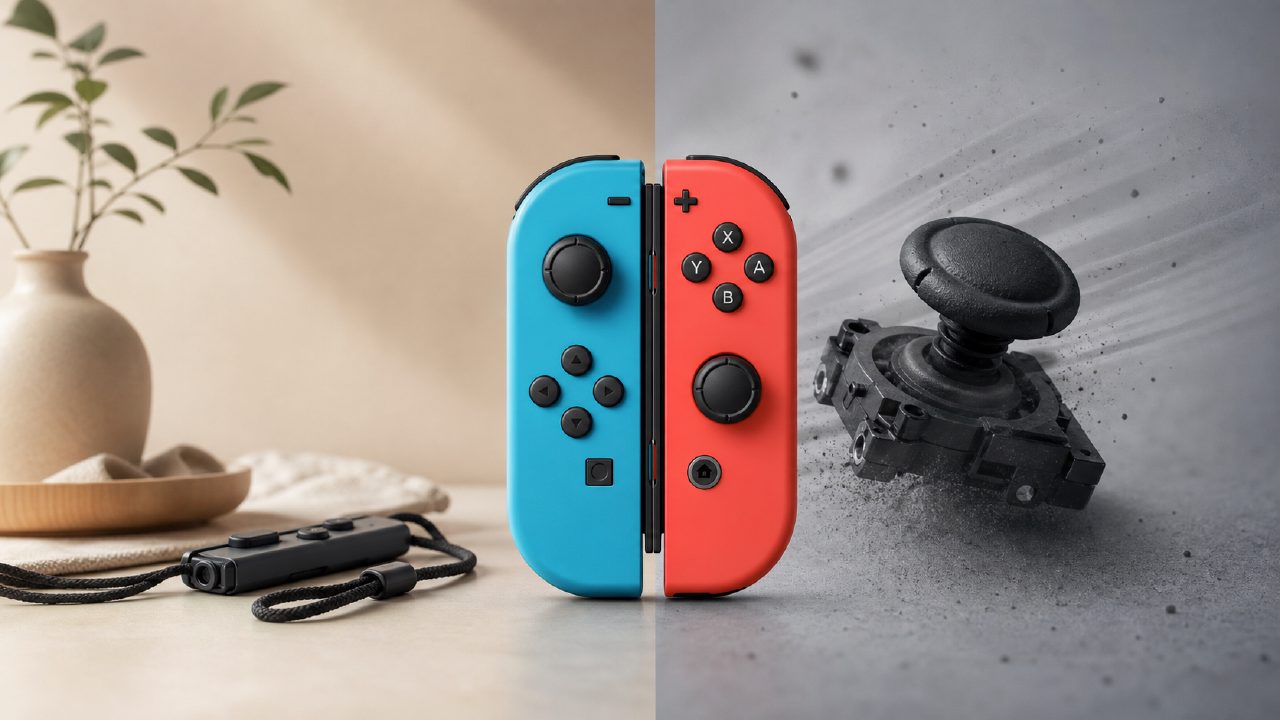
The Joy-Con is something you can't avoid if you've ever touched a Switch.
Before buying a Switch, my impression of it was just those two detachable little controllers, pretty interesting. But after actually using them for over a year, my feelings are completely different—it's both the soul of the Switch and something I love and hate.
You know as soon as you hold it: for the sake of splitting, it sacrificed ergonomics
The first time I slid the Joy-Con off the console and held it in my hand, honestly, it felt a bit small. My hands aren't big, but when gripping it, my pinky finger is completely hanging in the air. Playing a game like The Legend of Zelda, which requires long periods of holding, my fingers start to ache after half an hour.
This is its most obvious trade-off: in order to be split into two independent controllers for two people, the grip area of a single Joy-Con had to be made small. If you mainly play alone, and especially action or shooting games, a Pro Controller is almost a necessity.
But conversely, this split design is a killer experience in two-player Switch games. You and a friend start a round of Mario Kart 8, each holding half a controller, ready to play anytime without needing to buy anything extra. This pick-up-and-play social aspect is something no other console currently achieves to this degree.
Drift issue: not if, but when
This topic is unavoidable. My left Joy-Con started drifting after about seven months of use—the character would move left on its own. I tried the official suggestion of using compressed air to blow into the base of the joystick; it helped for two weeks, but then it came back.
This isn't a problem with your usage habits; it's determined by its physical design. The Joy-Con's joystick uses conductive rubber contacts internally, not the carbon film potentiometers found in traditional controllers. The advantage is low cost and small size; the disadvantage is that after wear, poor contact causes drift.
Later I replaced the joystick module with a third-party one (the kind that requires soldering), and it's been half a year without recurrence. If you don't want to do it yourself, a new pair costs over 400 yuan, or you can use the official free repair service (if you're in a supported region). Nintendo game recommendations guides rarely mention this, but it's a reality all heavy players face.
HD Rumble: The Underrated True Highlight
Many people say the Joy-Con's vibration is inferior to the Xbox controller, but that's actually a misunderstanding. It uses linear actuators, with a vibration fidelity far higher than traditional rotary motors. The key is how the game uses it.
In 1-2-Switch, the marble counting scenario lets you truly feel "several beads rolling inside the controller" through the vibration. When playing Just Dance, the feedback from the Joy-Con when making specific motions with motion controls feels very natural.
But this experience highly depends on game optimization. Most third-party games don't specifically tailor for the Joy-Con's HD Rumble, so it feels no different from ordinary vibration. So if you primarily play those small indie titles from indie game recommendations, you'll barely notice this feature.
One Joy-Con is not enough; two is just the start
Many people don't notice this before buying. In most cases, you need two pairs of Joy-Con to truly enjoy multiplayer party games.
Games like Mario Party and Super Dance, a pair of Joy-Con can only allow two people to play in half-screen mode, and many mini-games are designed for each person to have a full controller (held vertically). If you bought the set that comes with one red and blue pair, to get four people you need to buy another pair.
The good news is that third-party Joy-Con compatible controllers are now quite mature. I bought a pair of Chinese-made ones for just over 100 yuan, and the gyro and vibration are fully usable; only the HD Rumble is not as fine, but it's perfectly fine for party games. If you want to know which ones are worth buying, check out the user test feedback under game rankings.
Should you buy it? Let's discuss case by case
If you fall into the following situations, it's recommended to get authentic Joy-Con directly:
——You often play Nintendo's own motion-controlled games, such as Ring Fit Adventure and Zumba Fitness; the motion accuracy and feedback of the official controllers cannot be fully replicated by third-party ones.
——You frequently detach the controllers for impromptu local multiplayer and value the convenience of plug-and-play.
——You care about the grip feel (even though they are small, the surface texture and button responsiveness of the official ones are indeed the best).
But if you mainly play in docked mode connected to the TV:
——Buy a Pro Controller directly; its ergonomics and battery life are far superior.
——Keep the Joy-Con as backup controllers or for motion control use.
——If drift occurs, don't rush to buy new ones; try cleaning or replacing the joystick module first.
Finally, a detail. The Joy-Con charges very slowly; from empty to full it takes about three and a half hours, but the battery life itself is decent—you can play intermittently for seven to eight hours on a full charge. Just don't forget to charge them, because if you pull them out to play motion games and find them dead, it's really a buzzkill. For more information about controllers or charging docks, check out the accessory reviews in game encyclopedia; the actual test data there is even more detailed than what I've mentioned.
Comments
Leave a Comment