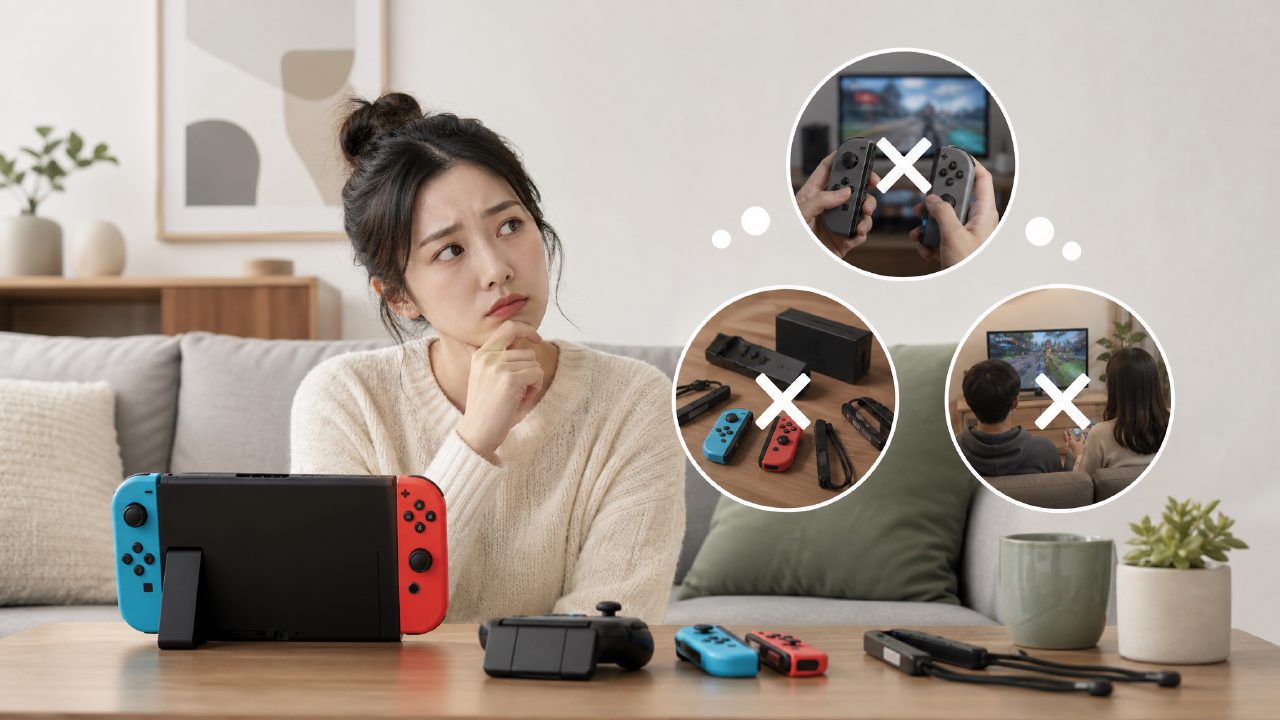
Before buying a Switch, like many people, I thought: buying it to play with friends, partners, roommates would be so much fun. But when I actually brought the console home, plugged it into the dock, and called friends over, I realized it wasn't that simple.
The pitfall rate for multiplayer games (i.e., Co-op) is much higher than you think. Today, I'll clarify the most overlooked pitfalls so you can avoid paying the price.
Joy‑Con arithmetic: many people get the first question wrong
First, a Switch comes with two Joy‑Cons, but that doesn't mean two people can play.
Many games (like Mario Party) require at least one full Joy‑Con plus a grip or controller holder per person. If you bought a Lite, it's even more direct — the console itself can't detach the controllers. Want two-player? Buy extra controllers.
The most realistic fail I've seen: a friend brought a Lite to the dorm, downloaded a two-player mini-game, only to find that two people had to squeeze on that small screen each pressing their own buttons, the screen almost bursting. Within ten minutes, both pulled out their phones.
If you mainly play multiplayer, prepare at least two pairs of Joy‑Cons, or one pair of Joy‑Cons plus two Pro Controllers. Those cheap third-party controllers have huge differences in latency and button feel, and many motion-controlled games will flop.
Just because it says "multiplayer" doesn't mean it's "local multiplayer"
This is the sneakiest pitfall in Co-op games.
You see a game on eShop, labeled "Multiplayer 1-4 players". Excitedly buy it, only to find that "multiplayer" means each person needs a Switch and a copy of the game, playing online. On local startup, only one player can control.
There are too many examples. Some indie games with decent reputations in recommendation posts often hide this design. Want to sit on the couch each holding a controller and play together? Not possible.
Before buying, be sure to confirm: does it support "same-screen/split-screen co-op"? Especially for some indie games with fresh art styles, it's easy to assume "you can share and play", but after buying you find it's single-player + online. If you plan to play with a partner or kids at home, you must avoid this pitfall.
The hidden trap of "dock and controller compatibility" that many have stepped on
Your friend brings their controller to your house to play on the big screen — it might not work.
Joy‑Cons will definitely connect, but Pro Controllers or third-party controllers need to be paired via wired connection beforehand to be recognized properly. Some third-party controllers have no response when connected to different docks. I once used a non-official dock, and only two out of four controllers were recognized; switching back to the original dock fixed it.
Also, some Co-op games require all players to use a full controller — they don't support single Joy‑Con operation. For example, some action games that require both joystick and buttons, a single Joy‑Con is simply insufficient. You buy the game, friends come over, you have enough controllers but realize you still need to buy grips, and then have to wait for delivery.
If you often bring friends home to play, it's recommended to check in the Xingba community under the Switch game recommendations section to see if anyone has discussed controller compatibility issues. Many veteran players share their experiences, which is much more reliable than guessing from product pages.
Two-player Switch games? First check the "skill threshold" for both
Many people buy a two-player Switch game for its reputation, only to have their partner put it down after two minutes.
The reason is simple: what you think is easy might not be easy for the other person. For example, games that require simultaneously controlling direction, camera, and jumping (like It Takes Two) have a high threshold for someone who rarely plays games. You're urging "jump over there", while their camera has already flown off somewhere.
Advice to avoid pitfalls: Look for games with extremely simple controls that allow one player to "coast" without affecting progress. For example, the co-op mode of Unravel Two or Kirby and the Forgotten Land — a newbie can die many times, and the other player can pull them back.
If you want to quickly filter, you can directly look in the Nintendo game recommendations list for tags like "light co-op", or go to the game rankings multiplayer category and check negative reviews — those complaining "teammate can't keep up" are red flags for you.
In indie game recommendations, Co-op pitfalls are most easily hidden
There are indeed many excellent Co-op titles in indie games, but it's also the easiest place to buy a "single-player game falsely claimed as co-op".
Some indie games have novel formats, like taking turns controlling one character, or one person controlling movement while the other controls attacks. These require strong tacit understanding between the two, and the game experience heavily relies on skill and communication. For party scenarios where people just want to "casually play", such games essentially collect dust after purchase.
It is recommended to search the indie game recommendations section or game encyclopedia for the specific "co-op mode" description before buying. If the description is vague, only saying "online multiplayer", you can basically skip it. If it clearly states "local same-screen co-op 2–4 players", you can be fairly confident.
Therefore, when it comes to Co-op, choosing the right game is more important than buying the right console. Don't rush just because the cover looks good, don't stock up just because it's on sale. First confirm the points above, especially controller count and co-op format, then place the order.
The Xingba community has many real feedbacks from players who have stepped on various pitfalls. Reading them before buying saves you a lot of trial and error.
Comments
Leave a Comment