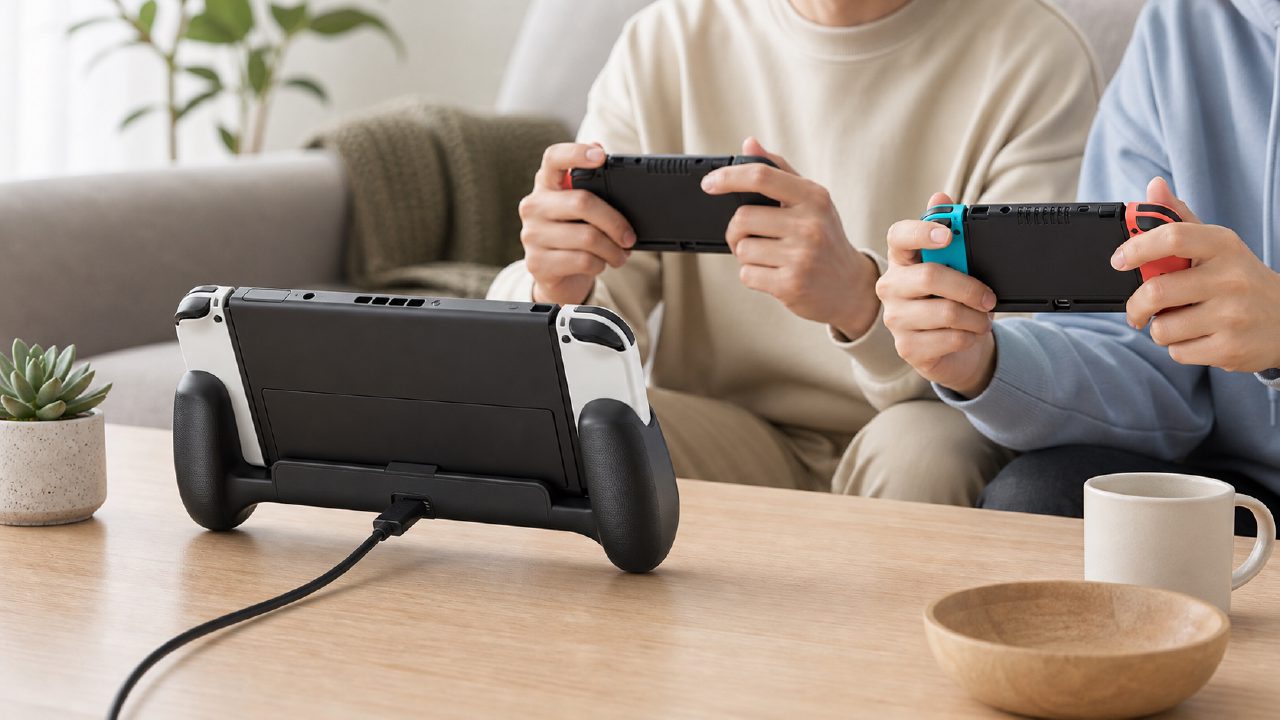
At eight in the evening, a friend comes knocking with two boxes of takoyaki. You turn on the TV, planning to get him into Overcooked 2 — a well-known two-player two-player Switch game that has a high rate of friendship destruction, and also one of many people's hidden Switch game recommendations.
Then you realize: the Joy-Con only has half a bar of battery left.
Charge them? You plug the two small controllers back into the console, turning the Switch into a large brick, and the two of you stare blankly at the TV. Don't charge them? By the third level, the controllers start warning about low battery, and the rumble becomes as weak as a mosquito's legs.
That's the direct reason I bought a Charging Grip. I didn't want to buy another set of Pro Controllers for this scenario, nor did I want to squat in front of the living room TV to charge.
What problems does the Charging Grip actually solve?
A charging grip with a handle essentially lets the Joy-Con receive power while held in your hands. Sounds simple, but there are a few details in actual use that only someone who has struggled on the sofa would notice.
First, the feel. The original gray grip is very thin; for guys with larger hands, after holding it for a while, the little finger hangs in the air. A Charging Grip is usually a bit thicker than the original, with anti-slip texture on the back, making the grip feel noticeably more solid. This is especially noticeable when playing games that require long periods of two-handed gripping, like Fortnite or Splatoon 3.
Second, the charging logic. Many third-party Charging Grips are powered directly through a Type-C port at the bottom; plug in a cable and they charge, no need for an extra dock. This means you can play while charging on the sofa without having to squat next to the TV stand. For people renting apartments where the TV stand is cluttered with clutter, this detail saves a lot of trouble.
Real-world scenario demo: Friday night two-player session
Suppose you're about to play a co-op game from the independent game recommendations list, such as Unravel Two or It Takes Two. Both players need to hold the controllers with both hands, with the console docked to output to the TV.
Step 1: Remove the two Joy-Con from the console and slide them directly into the Charging Grip. Make sure not to reverse the left and right — the R controller goes into the right grip, the L controller into the left.
Step 2: Plug the Type-C cable at the bottom of the Charging Grip into a charger or directly into a USB port on the back of the Switch dock. The dock already has two USB ports, usually unused.
Step 3: At this point, the TV will show an icon indicating the controllers are charging. You and your friend each take a grip, and the feel is much better than using bare controllers.
The whole process doesn't require standing up, touching a charging dock, or waiting. The actual experience is: "Pick it up, plug it in, keep playing."
Not suitable for every scenario
Here are a few situations I tried that didn't work well.
First, if you mainly play in tabletop mode (using the small screen), the Charging Grip becomes more of a hassle. Because in tabletop mode, you're close to the screen, and holding a grip with a cable makes the cable feel obstructive. In this case, the original grip is actually more convenient.
Second, if you already have a Pro Controller, the Charging Grip's positioning becomes a bit awkward. The Pro Controller has a battery life of up to 40 hours, lasting a week on one charge. Although the Charging Grip allows playing while charging, the Joy-Con itself only has a 20-hour battery life. For those with a Pro Controller, unless you absolutely need four people to play Mario Kart, you won't need it.
Third, charging efficiency. The charging speed of third-party Charging Grips depends on the cable and charger. If you use a standard phone charger (5V1A), it takes about 3 hours to fully charge a pair of Joy-Con. A fast charger (5V2A or higher) can shorten that to around 1.5 hours. But playing while charging naturally extends the charging time because the game is also consuming power.
Key points to consider when buying
There are many products on the market with the "Switch Charging Grip" label, but the variables that truly affect daily experience are just these:
- Grip size: Palm sizes vary, so the feel differs greatly. It's recommended to check the physical dimensions before buying, or choose one with a rubber coating on the surface for anti-slip and sweat absorption.
- Cable length: 1.2 meters is the minimum acceptable length; 1.5 meters or more is needed to truly use it on the sofa, otherwise the cable will be taut if you're far from the outlet.
- Whether it supports data transfer while charging: Some cheap grips can only charge and cannot transmit the Joy-Con's gyroscope data back to the console via the cable. If you plan to play games that require precise motion sensing like Ring Fit Adventure or Just Dance, choose a version that supports data communication.
Lastly, the Charging Grip won't turn the Joy-Con into a Pro Controller; it just ensures that when you want to play those two-player titles from the Nintendo game recommendations, you don't have to interrupt the experience due to battery. Browse through the game encyclopedia or check the game rankings, and you'll find many great games that require extended holding. If you often get interrupted by charging issues, then this thing is worth the price.
Comments
Leave a Comment