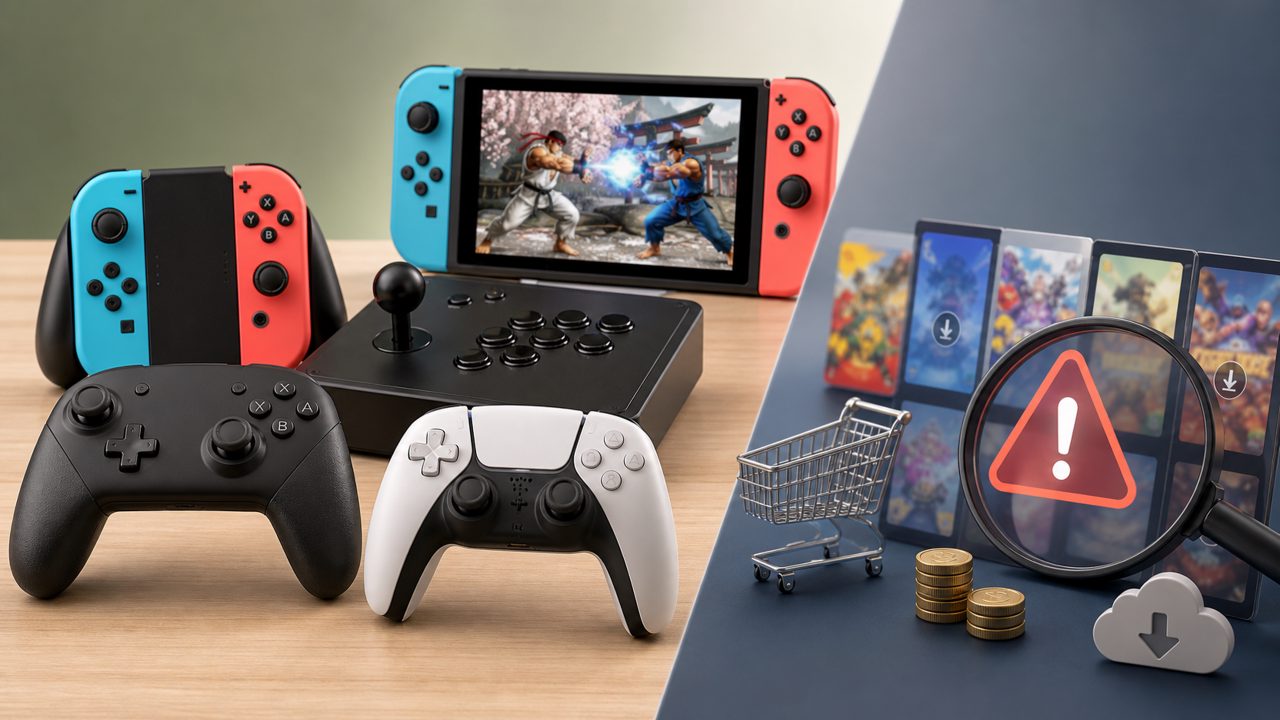
Want to find a game to go head-to-head with friends on the weekend? Search the Switch eShop, and the list of fighting games is as long as a noodle. Which one to buy? Which controller to use? Should you buy the digital version for quick swapping or grab a second-hand cartridge? I've been through all these struggles, because if there's a pitfall to step into, I've basically stepped into it.
This time, I'll directly do a side-by-side comparison, laying out the unavoidable options like Joy-Con, Pro Controller, and Dock Mode, and discuss them alongside several typical fighting games.
Joy-Con or Pro Controller? It's Not Just About Which Is More Expensive
Many people, when first playing fighting games, start with a set of Joy-Cons and begin inputting commands. Then they find that in Super Smash Bros. Ultimate, when trying to precisely land a horizontal smash attack, the small controller's joystick has short travel and vague feedback, often turning an up B into a side B.
However, Joy-Con also has its unbeatable scenario — you bring a Switch to a friend's house, split it into two controllers, and instantly start a two-player session of two-player Switch games. In this case, the lightweight nature of Joy-Con is an advantage; the loser can't complain about the controller.
But if you want to seriously practice combos or even occasionally play ranked online, then spending four or five hundred bucks on a Pro Controller is definitely worth it. The Pro Controller has larger buttons, and the D-pad is much more precise than the Joy-Con's split directional buttons. When playing traditional fighting games like Street Fighter or BlazBlue, inputting commands like 236 is much smoother. My personal advice is: for occasional party play, Joy-Con is enough; if you play fighting games at least three hours a week, go for the Pro Controller decisively.
As for which fighting game is worth buying, check out the Switch game recommendations lists more often — don't just look at the cover art.
Digital vs. Physical Cartridge: A Special Balance Sheet for Fighting Game Players
Fighting games aren't like RPGs; you can't beat them in one night and sell them to recoup costs. Their core is repeated practice and jumping in anytime. That's when the difference in purchase channels becomes very practical.
The advantage of a physical cartridge is that you can sell it second-hand, but you have to swap cartridges every time you change games. Plus, many fighting games have frequent updates — the physical version has the base game on the cartridge, but balance patches and DLC characters still need to be downloaded, so you end up waiting for updates even with the cartridge inserted. In contrast, digital versions purchased from communities like Xingba (星吧) are often tens of dollars cheaper than buying directly from the eShop, and importantly, you don't need to swap cartridges.
My experience: if you regularly play three or more different fighting games, like Smash, Guilty Gear, and King of Fighters, the convenience of digital versions crushes physical ones. When friends come over on weekends, switching games directly from your digital library is a much better experience than digging through a cartridge case. Plus, through Xingba's family membership sharing, you can buy one copy and your family can also play — very cost-effective for players who frequently switch games.
Also, before choosing a game, check out player feedback in the Nintendo game recommendations section. Some indie fighting games have average graphics but excellent feel — these often offer more surprises in the indie game recommendations list than big studio titles.
Dock Mode vs. Handheld Mode: Which Matters More, Latency or Graphics?
Many people overlook a practical issue: fighting games are extremely sensitive to input latency. In Dock mode connected to a TV, if the TV has image processing features enabled, you'll notice a perceptible lag in Joy-Con commands. Playing directly in handheld mode, because the screen is directly connected, response is faster than most TVs.
But conversely, the handheld's 6.2-inch screen makes details in Mortal Kombat's fatalities blur into a mess, wasting the character art and stage interactions. From my personal testing, the optimal solution is: use Dock mode outputting to a monitor, and ensure the monitor has game mode enabled. That way you get a big screen and acceptable latency. Without a monitor, handheld mode is actually the more competitive choice.
Additionally, battery life varies greatly between fighting games in handheld mode. Traditional 2D fighters, with simpler graphics, can last 4-5 hours, but Smash with its 3D multiplayer battles runs out of juice in just over two hours in handheld mode. Before heading out, check game rankings for battery life reviews — I once took my Switch to a café, and Smash's battery drained faster than my coffee.
My Final Verdict
The experience of fighting games on Switch largely depends on your trade-offs between controllers and play scenarios. There's no absolutely perfect solution.
If I had to give a direct recommendation: if you mostly practice alone or play online, Pro Controller + digital version (purchased through Xingba) is currently the best value combination. If you often bring your console to friends' houses for parties, make good use of Joy-Con's split two-player function, plus two or three mainstream two-player Switch games — low cost but plenty of fun.
Final reminder: don't just buy games on sale; first look up the game encyclopedia entries for those fighting games' difficulty and online player counts. You'll save a lot of wasted money.
Comments
Leave a Comment