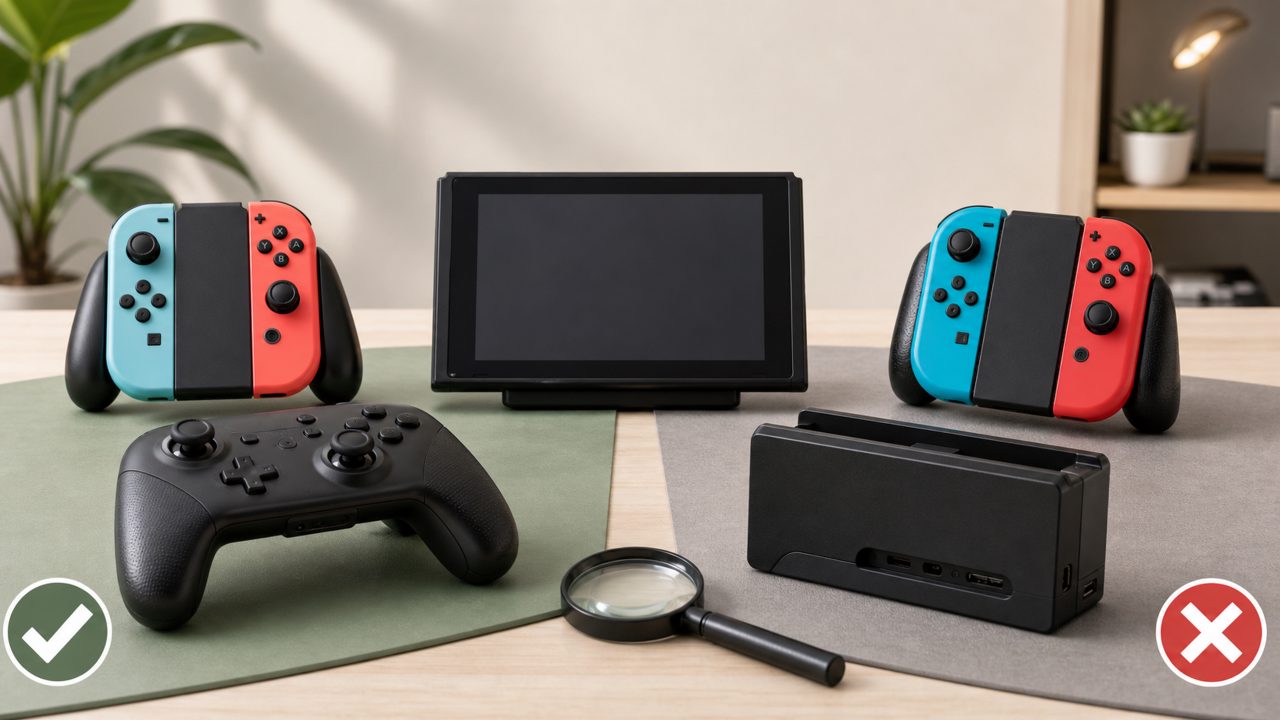
After buying a Switch, many people face an awkward situation: the original Joy-Cons feel too light, and joystick drift is inevitable; the official dock has poor heat dissipation, easily scratches the screen, and is ridiculously expensive. You want to play on TV at home and have a portable storage solution when going out, only to find a dizzying array of accessories on the market, some claiming to be "perfect replacements" but hiding various pitfalls after purchase.
This time, I’m not going to list parameters one by one. Instead, I’ll directly compare several mainstream solutions and explain what’s good and bad about their actual usage, helping you save money.
A Good Controller Is More Than Just "Connecting"
Many people think that as long as a third-party controller can connect to the Switch, it's good enough, but in reality, the differences in latency, feel, and features can be huge.
For example, those cheap entry-level controllers can barely handle casual games from "Recommended Switch Games", but as soon as you get into action games, issues with button elasticity and joystick precision become apparent. Especially in scenes requiring frequent fine control, the joysticks of cheap controllers often lack responsive rebound, making you fall off a simple balance beam.
In contrast, solutions like HORI or Nintendo's official Pro Controller have actually put effort into "consistency of feel." The tactile feedback of triggers and the clear response of the D-pad are refined through extensive game testing. If you often play platformers or fighting games from "Recommended Nintendo Games", this difference is the key dividing line between "playable" and "comfortable to play."
Also, battery life is an easily overlooked detail. Many third-party controllers boast "huge battery capacity," but start to degrade after two weeks of use; while official solutions have more stable battery management, with significantly less capacity loss over a year. From a long-term usage perspective, this investment is worthwhile.
Joy-Con Replacement Options: Is Cheap Really No Good?
The Joy-Con drift issue forces many to look for alternatives. Imitation Joy-Con controllers made by domestic manufacturers like Mopai are basically feature-complete, with added back buttons and turbo functions, looking great on paper.
But in actual use, two things greatly affect the experience: first, the tolerance control of the side rails is inconsistent—tight when new, but starts to loosen after a month; second, some products have thickened grip curves, making them tight when inserted into the original dock, and repeated insertion and removal can even damage the dock's latches.
If you mainly use them as standalone controllers for "Two-Player Switch Games", then using them detached is fine. But if you frequently need to reattach the controllers to the console to switch modes, I personally recommend keeping a pair of original Joy-Cons as your primary set, and using third-party ones as backups or exclusively for handheld mode.
Dock Pitfalls: More Than You Think
The biggest issues with the official dock are its bulkiness and poor heat dissipation. Many third-party docks emphasize "portability" and "no warping," but this area is trickier than it seems.
I've tried several so-called "atypical docks." Their design does provide more ventilation space at the back of the console, and with built-in fans, heat dissipation is significantly better than the official solution. However, the problem lies in TV mode compatibility. Not all third-party docks perfectly support the Switch's HDMI handshake protocol. Some experience brief black screens or audio pops when switching resolutions or refresh rates. If you're in the middle of an intense action game, such sudden interruptions can be very frustrating.
The way to avoid pitfalls is to check user feedback for specific descriptions like "black screen" or "no signal" before purchasing, rather than just looking at product page promotional images. If your budget allows, docks with official chip authorization are the most reliable. As for those cheap "universal stand + extension cable" combos, they are actually the most cost-effective compromise, balancing heat dissipation and portability, though they lack the integrated storage feel of a dock.
How to Choose Based on Your Gaming Habits?
Actually, the answer isn't complicated. The key is your Switch usage frequency and scenarios.
- Heavy players + long-term TV mode: Don't skimp on the dock. Prioritize third-party docks with active cooling, and also keep a pair of official Pro Controllers. This setup can handle most "Indie Game Recommendations" and hardcore titles, with guaranteed battery life and feel.
- Portable users + occasional gatherings: Just buy a small charging dock or extension cable solution. Preventing the console from bending is the top priority. Joy-Con replacement can wait; the original condition can handle most social games. When occasionally checking "Game Rankings" for popular two-player titles, searching community recommendations is faster.
- Frequent switching between home and outdoors: Recommended combination: "official dock fixed at home + cable and stand when going out," balancing heat dissipation and convenience. As for whether you need extra controllers, it depends on whether you play multiplayer party games. If you frequently change games, using a "Game Guide" to quickly filter new titles is much more efficient than searching one by one.
Choosing Switch accessories doesn't require excessive anxiety, and expensive doesn't necessarily mean better. Understand your own usage habits and spend your budget on aspects that truly affect the experience, so that this console can accompany you longer and more comfortably.
Comments
Leave a Comment