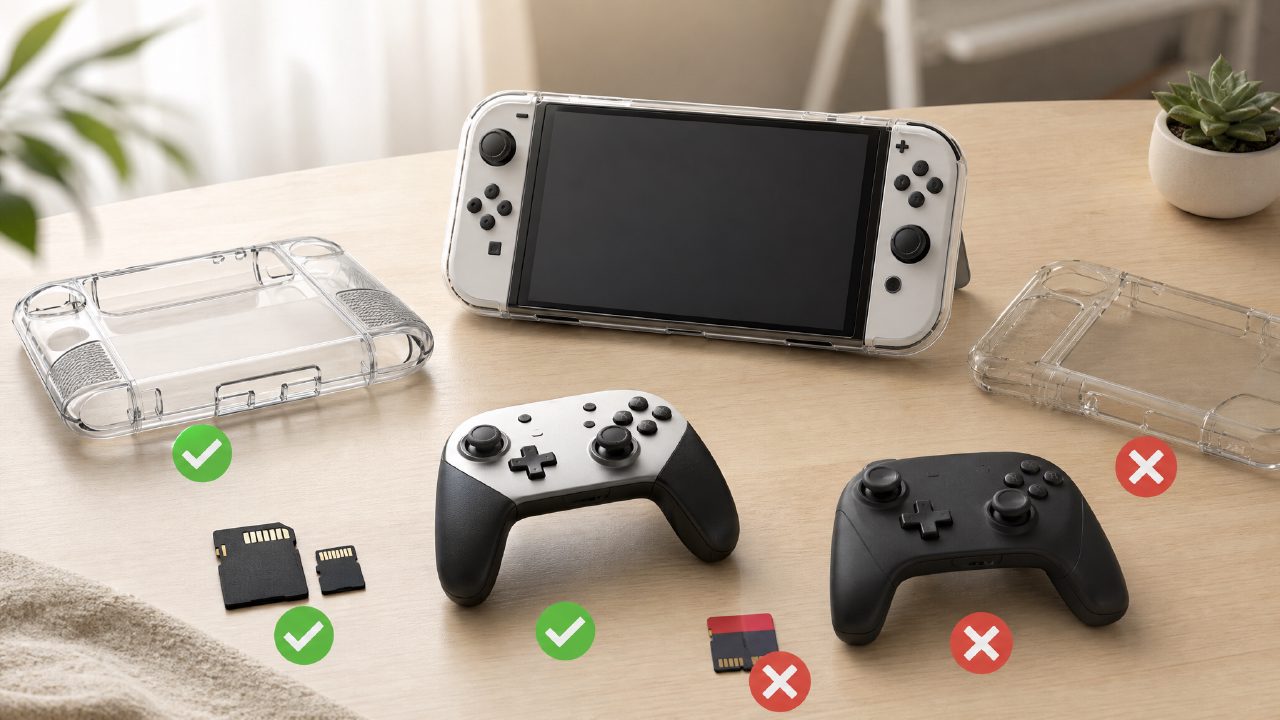
When buying accessories for the Switch, many people adopt a "buy first, ask questions later" approach. The result? More often than not, it's a costly lesson.
Several people around me ordered a bunch of accessories as soon as they got their console. Protective cases, thumb grips, memory cards, charging docks—they bought a ton of stuff. After a month, a third of it was gathering dust. Worst of all, some accessories aren't just useless—they can damage your console. This guide is here to help you avoid wasting money.
Protective Cases: The Most Overlooked Pitfall
Many people think that buying a protective case is a no-brainer. Wrong.
Soft silicone cases are a major problem area. They look good and feel soft. But if you frequently dock your Switch, a silicone case can get stuck. Forcing it in can put stress on the USB-C port inside the dock, causing it to bend. I've seen two consoles that had to be repaired because of this.
The solution is simple: either buy a case with a removable back plate, or choose one explicitly labeled as "dock-friendly." Don't trust those pretty product photos—confirm details before ordering.
If you're still looking for good starter games, check out the Switch Game Recommendations list for titles with stable reviews to avoid unnecessary detours.
Memory Cards: Larger Capacity ≠ Faster Speed
This is an old trap, but people fall into it every year.
The Switch supports microSD cards, but many people buy cheap, high-capacity, slow cards. The result? Downloading games takes forever, and load times are slower than cartridges. Worse yet, some no-name cards fail after a while, causing you to lose all your save data.
Key points to avoid pitfalls: Look for the "UHS-I U3" specification, with read speeds preferably above 100MB/s. Choose reputable brands like SanDisk or Samsung from official channels. Don't bargain hunt from shady stores.
In terms of capacity, 128GB is the minimum, 256GB is mainstream. If you plan to play many of the big titles from Nintendo Game Recommendations, 512GB is a safer bet.
Controllers: The Pro Controller Isn't the Only Option, But There Are Traps
Many people know that Joy-Cons are prone to drift, so they look for an alternative controller. But there are pitfalls here too.
Third-party controllers are cheap—you can get one for a few dozen bucks. But the cost is: no gyro aiming, no wake-up function, and cheap button feel. Some even have input lag, making Two-Player Switch Games a poor experience.
If you're a heavy gamer, especially playing titles from Indie Game Recommendations that require precise control, the official Pro controller—though expensive—offers excellent feel, battery life, and durability. If your budget is limited, at least buy a third-party product that supports gyro and comes from a reputable brand.
Also, many "mini controllers" look cute but have terrible ergonomics. Adult hands will ache after prolonged use. Don't be fooled by aesthetics.
Charging Docks and Power Banks: The Most Likely Accessories to Fry Your Console
This is the most easily overlooked pitfall.
Many people buy cheap, off-brand charging docks for convenience, placing them in the office or by the bedside. But these unofficial docks may not comply with the Switch's power delivery protocol. Over time, they can damage the motherboard. This isn't a matter of chance—there are cases every year.
The same goes for power banks. Not all high-capacity power banks can charge the Switch at full speed. It's best to choose one that supports PD fast charging, with a power output around 45W for safety. Also, avoid playing graphics-intensive games while charging, as poor heat dissipation can accelerate battery degradation.
If you want a systematic overview of which games are worth storing on your console, refer to the Game Rankings and Game Encyclopedia—the titles listed there tend to be more reliable in quality.
In Summary: Rational Spending Matters Most
When it comes to accessories, it's better to buy fewer but better items. For protective cases, check dock compatibility. Don't skimp on memory cards. Choose controllers based on your needs. For charging accessories, go for certified products. Think about your usage scenario before ordering, and you can often save enough for a game.
If you're new to the Switch, don't rush to buy a full set of gear. First, experience the console itself. After a few months, you'll naturally know what you're missing. By then, you'll make purchases without falling into traps.
Comments
Leave a Comment