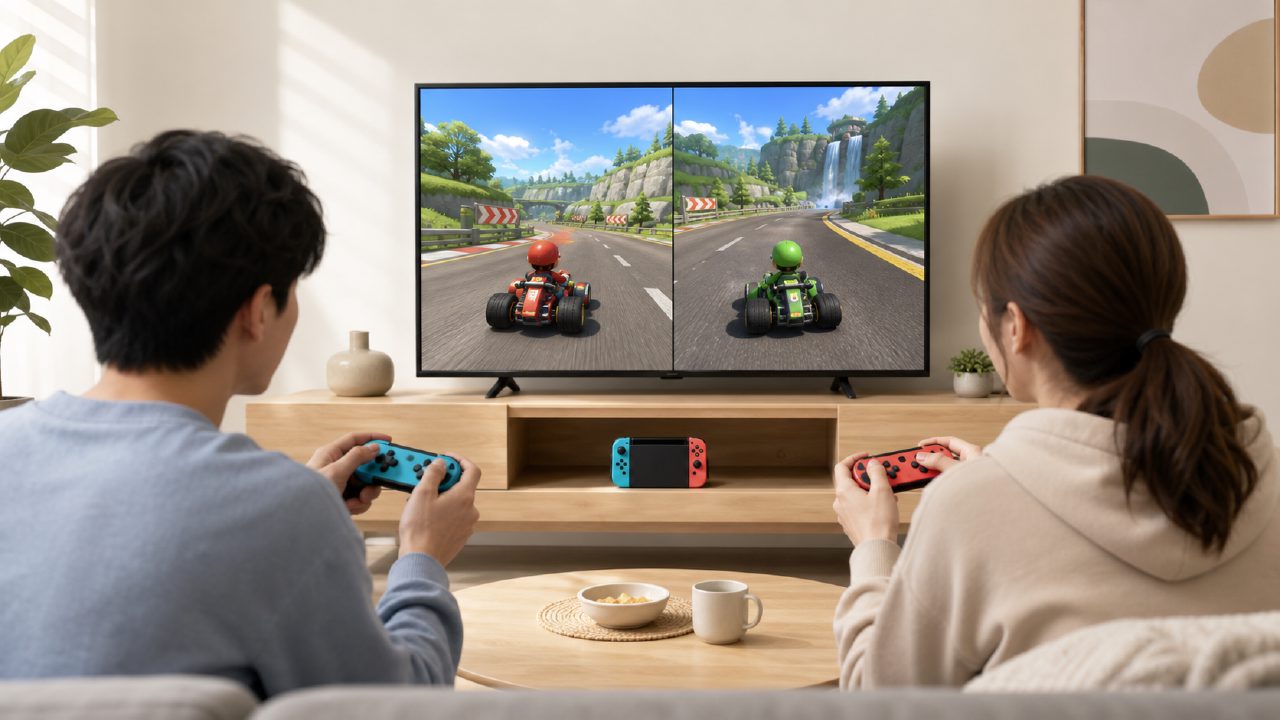
A few days ago, a friend asked me on WeChat: I just got a Switch OLED and want to play racing games with my roommate. Can I just buy a game card and insert it to play two-player? He said he was a complete novice and didn't even know how to pair the controllers.
This question is actually quite typical. Many new players, after getting their console, first want to find a two-player game to play with someone, and racing games are indeed one of the easiest types to pick up. But the problem lies in the 'simplicity' — you think you can just insert the card and go, but there are a few small steps in between, and missing one will get you stuck.
Scenario: After work, you and your friend want to jump straight into Mario Kart 8 Deluxe
You've just finished eating, your friend is sitting on the sofa, you turn on the TV, ready for a 4-lap Rainbow Road. This scenario seems simple, but if you haven't done any setup beforehand, it might take you 10 minutes to figure out.
Let's start with the simplest solution: if you have two sets of Joy-Con, the console itself is enough. But many people only have the one pair that came with the console. In that case, if you want to play two-player, you need an extra controller. Whether you plan to buy another set of Joy-Con or directly use a Pro Controller, the key step is — before entering the game, connect both controllers to the console.
The correct order is: in the main menu's 'Controllers' settings, first complete the pairing of the second controller (press the small round button on the side). Many people's mistake is to open the game directly, and then the game prompts 'Press L+R', and they frantically try to pair at that moment, ending up with no response for a long time.
If you're using a third-party controller or an older Pro Controller, the pairing logic is the same. But there's a pitfall to watch out for: some third-party controllers do not support waking the console; you have to manually press the pairing button. You can do your homework in advance on the choice of Controllers to avoid having to flip through the manual when your friend arrives.
To switch the display to a large screen, pay attention to the Dock logic
Many people are used to playing directly in handheld mode, but for two-player racing, cramming onto a 7-inch screen would be a much worse experience. In this case, you need to put the console into the Dock to output to the TV.
There's an easily overlooked point here: if you've been playing in handheld mode all along, after putting it into the dock, the TV might show 'No Signal'. Don't panic; it's most likely that you didn't plug in the HDMI cable properly or the dock's power supply isn't sufficient. The Switch's Dock must use the original charger to output a stable picture; using a phone charger won't turn it on. I've fallen into this pit, so I'll add a note.
After switching the display, the resolution automatically becomes 1080p (if you're using the OLED dock and TV, it can even reach stable 1080p at 60 fps). Mario Kart 8 indeed performs more smoothly in TV mode than in handheld mode, especially on tracks with lots of reflections like Rainbow Road; the immersion on a large screen is completely different.
Where to buy the game? Searching directly in eShop is the most convenient
If you're not buying a physical cartridge but a digital version, then you'll need to go to the eShop. Under the Racing category in the eShop, Mario Kart 8 has been at the top of the charts for years, and the price hardly ever drops. But if you don't want to spend HKD 429 on the digital version of a first-party masterpiece, you can consider buying a used cartridge, or check out Xingba for family membership sharing to get trial play event slots — sometimes you can snag a free trial period.
Of course, if you're the type who 'buys and doesn't want to swap cartridges', the digital version is indeed hassle-free. Searching for 'Mario Kart 8 Deluxe' in the eShop will directly bring it up, and it supports Alipay and WeChat Pay, no credit card needed. This is very friendly for domestic players.
Additionally, there are some cheap indie racing games in the eShop, such as Hotshot Racing or Gear.Club Unlimited 2. If you just want to play casually and don't want to spend hundreds, these indie game recommendations sometimes go on sale for just over 20 yuan. But to be honest, the feel and level design are still inferior to Nintendo's first-party offerings, especially in terms of frame rate stability during multiplayer split-screen; some indie games have noticeable frame drops.
How to determine what you really need
Back to the original scenario. When you and your friend are sitting on the sofa, once the race starts, you'll quickly feel: whether the controllers are sufficient, whether the TV latency is high, and whether the game is your style. These points actually determine whether you need to invest further.
- If you find that the Joy-Con joystick isn't responsive or has drift, you might consider replacing them with a new pair or buying a Pro Controller — especially for racing games, the trigger buttons on the Pro Controller feel much better than Joy-Con.
- If you find TV input lag, you can go into the Switch's 'TV Output' settings and change 'Match TV Color Range' to 'Full Range', and also turn on the TV's Game Mode. This can significantly improve immediate response when turning.
- If after a couple of races you find Mario Kart 8 too chaotic with too many items and want a more hardcore racing experience, you can check out GRID Autosport. That one is closer to real racing, but the barrier to entry is higher; beginners might crash within two laps.
In short, the selection of racing games on Switch is not that large, but Mario Kart 8 alone can cover most two-player scenarios. You don't need to rush to buy all accessories; first understand how to use your existing equipment, confirm that you really like this genre, and then decide whether to add more gear. If you want to see more similar titles, the game rankings and game encyclopedia also have lists compiled based on ratings and player reviews, which can help you avoid some detours.
Next time your friend comes over, you won't need to spend five minutes flipping through a tutorial — just pair the controllers, plug in the dock, open the game, and tell him: 'Easy, just pick your car and press A.'
Comments
Leave a Comment