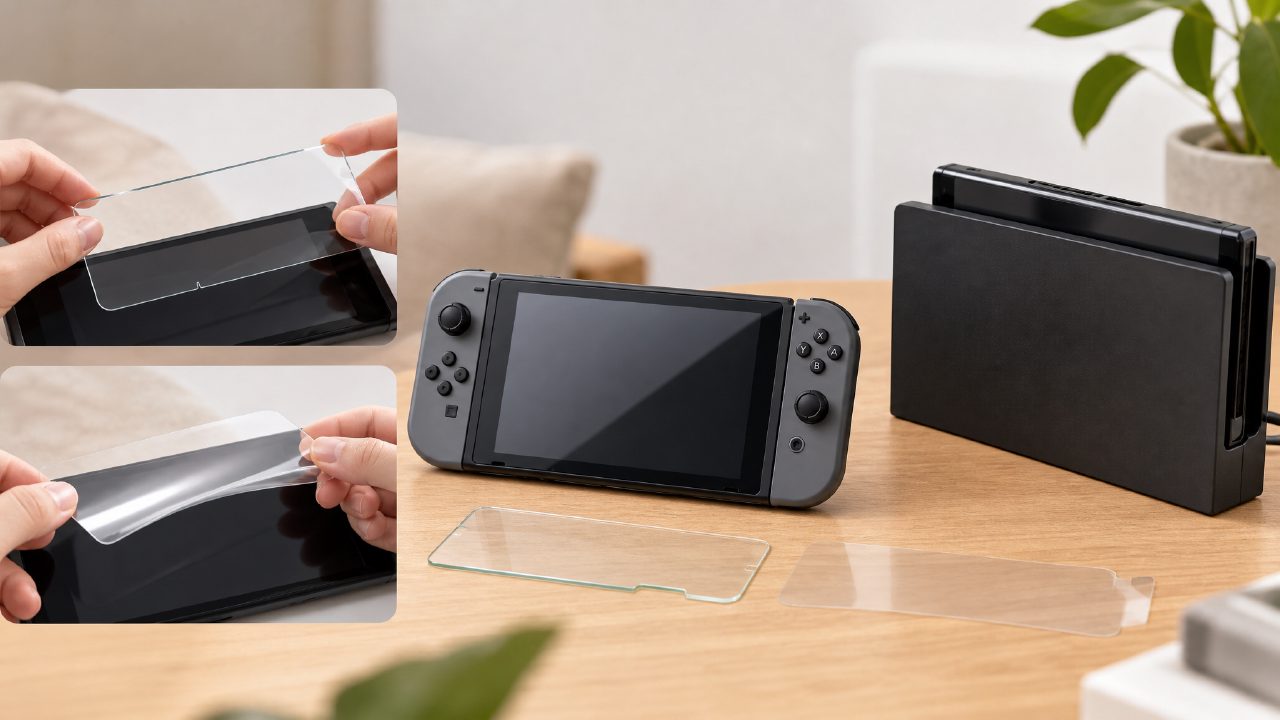
I bought a new Switch, and the first thing I did was not turn it on to download games, but to apply a screen protector—that's my personal stubbornness. The reason is simple: after a few times of docking and undocking, a barely visible light scratch appeared on the edge of the screen. If you don't believe me, try borrowing a friend's handheld and check it out—those with good screens are almost always protected.
But this article isn't here to convince you to apply a protector. Instead, it's about my actual experience after trying seven or eight different films—some trade-offs that stores and reviews won't explicitly mention.
Tempered Glass or Soft Film? My Choice Has Changed
At first, I blindly went for tempered glass, purely for its hardness and scratch resistance. But the Switch's usage scenario is different from a phone: a phone goes into a pocket, rubbing against keys and coins; the Switch spends most of its time either in the dock or in a bag. The real threat isn't keys, but the plastic guide rails on both sides of the dock.
After applying a tempered glass protector, the thickness increases by a fraction of a millimeter compared to a soft film. It's this tiny increment that caused me to experience the protector being pushed up by the edge of the dock rail twice. The second time was more direct—a small corner lifted, and after pressing it back down, a bubble stubbornly refused to go away. Tempered glass offers better light transmission and feel, but the tolerance mismatch with the dock isn't the same for every Switch.
After that, I switched to a soft film, the common TPU or PET material. Soft films have their own issues: the application process requires more skill—even a slight misalignment causes bubbles; anti-fingerprint ability is also a notch below tempered glass. But its pass-through in the dock has almost no extra resistance, which gives me peace of mind. For players who frequently switch between handheld and docked modes, the compatibility improvement brought by soft film may be something that the hardness advantage of tempered glass cannot compensate for.
Does the Screen Appearance Change After Applying a Protector?
I once did a very silly comparison test: half of the screen with a protector, half bare, playing the same scene from
The downside of anti-glare film is that the image sharpness decreases slightly, like a very fine matte layer. If you mainly play pixel art or hand-drawn style games like
Impact on Touch and Operation
The usage rate of the Switch's touchscreen is often overestimated. Many people realize after applying a protector that they only touch the screen a few times a month. But there are two exceptions: some games adapted for touchscreen operation, like puzzle or drawing games from
Tempered glass provides the best touch smoothness, with low finger sliding resistance, similar to the feel of an iPad with a tempered glass protector. Soft films have a slight friction, especially when fingers are slightly damp or when using a paper-like film, resulting in a sticky feel when sliding. If you often play small games that require quick screen taps, this difference may affect your operation rhythm.
By the way, I've seen people complain that Joy-Con drift didn't improve after applying a screen protector—these two issues are really unrelated.
How to Tell If the Application Is Good? A Quick Check for Beginners
Don't get too excited after applying the protector. Do a quick inspection:
- Are there white edges or bubbles on the four sides? Especially around the HOME button area—it's a trouble spot.
- Insert it into the dock and then pull it out to see if the protector has been pushed askew or the edges lifted. One test is enough.
- Turn on the screen, lower the brightness on a white background, and check for large dust specks trapped under the film. Small dust spots are hard to avoid, but if they happen to be in the center of the screen, obsessive-compulsive types will be bothered for a long time.
If you're not satisfied after these checks, just peel it off and replace it—it's not expensive. After all, compared to the price of cartridges at the top of the
Applying a screen protector is ultimately a protective preparatory action, not an experience upgrade. You may not feel anything when it's done well, but one day when you suddenly find a scratch on the screen, you'll regret not having applied one. Finally, if you enjoy collecting different game cartridge boxes and flipping through
Comments
Leave a Comment