Nintendo Switch Repair Common Issues: Joy-Con Drift, Dock Problems – What to Do?
After using a Switch for a while, you're bound to run into some minor issues. The most annoying are Joy-Con drift or the dock suddenly not recognizing the TV. Official repairs are slow, and third-party options can be unreliable. This FAQ directly addresses the most common repair problems to help you decide whether to send it in or fix it yourself.
Joy-Con drift: fix it yourself or send it to Nintendo?
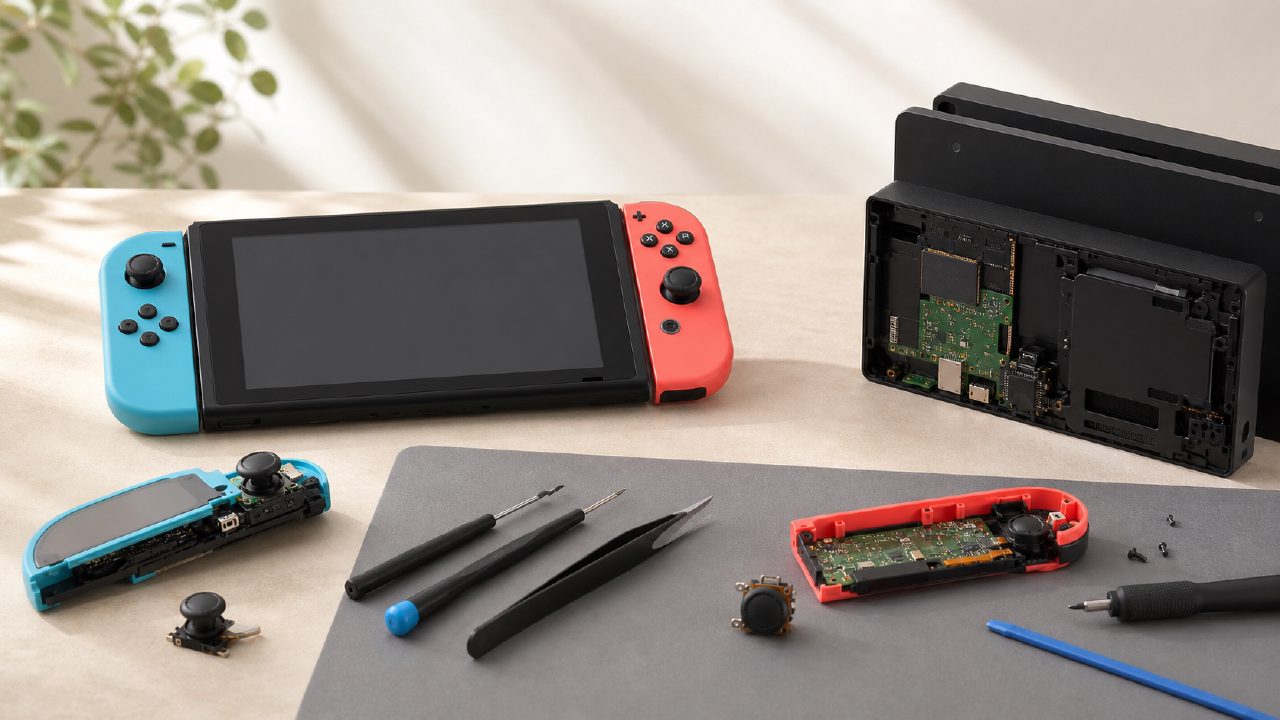
Drift is essentially an unavoidable issue for Switch players. If you're somewhat handy, buy a can of WD-40 Precision Electronic Cleaner for about a dozen yuan, spray it into the base of the joystick, let it dry, then wiggle it around a few times—this can last for months. If spraying doesn't work, you'll need to replace the joystick module. On Taobao, a set of parts and tools costs a few dozen yuan. Search for a tutorial on Bilibili, follow along, and you can get it done in half an hour.
If you don't want to take the risk, go for official repair. For region-1 (Chinese mainland) consoles, contact Tencent's after-sales service; it usually comes back within a week or two. For non-region-1 consoles, there are no official repair centers in mainland China, so you'll either need to ship it back to where you bought it or find a reputable third-party repair shop. Third-party joystick replacement typically costs 80 to 120 yuan, which is cheaper than buying a new controller, but be sure to ask about the warranty period first.
Controller buttons unresponsive or completely dead—how to troubleshoot?
First, rule out software issues. Go to Settings > Controllers and Sensors and perform a joystick calibration. If that doesn't work, update the controller to the latest firmware. If buttons only fail in specific games, suspect a game bug—try a different game like Kirby Star Allies or one of the recommended Switch games.
On the hardware side, sluggish button response is usually due to dust buildup or aging conductive rubber. Open the controller, use alcohol wipes to clean the circuit board contacts, and replace the conductive rubber (a large sheet costs just a few yuan). This kind of minor repair is essentially risk-free—even beginners can try it.
Switch Dock won't connect to TV—is the dock or the console broken?
Most likely the dock isn't fried. First, try a different HDMI cable, then a different TV port. If that doesn't work, swap the power adapter. If the screen remains black, blow dust out of the USB and USB-C ports on the dock—sometimes it's just a poor connection. Still no luck? Cross-test with a friend's same-model dock. If your friend's dock works, then your dock's USB-C connector is likely loose or the circuit board is faulty. In this case, repairing the dock is cheaper than buying a used official one—you can find a spare part on Xianyu for around 30 to 40 yuan.
Console won't power on or charge—is the motherboard fried?
Don't panic. First, hold the power button for 12 seconds to force a restart, then plug in the charger and let it sit for half an hour. Some Switch batteries enter a deep sleep after being fully drained and need a continuous charge to wake up. If the charging indicator doesn't light up at all, try a different charger and cable. Some people online have used an iPad charger as a temporary fix, but the wrong power output can damage the battery—it's best to use the official 39W charger.
If none of the above works, then consider motherboard issues. Motherboard repairs are tricky—online quotes range from 150 to 500 yuan, depending on whether it's repairing the power IC or replacing a chip. Before going to a repair shop, ask whether there's a diagnostic fee and whether the quote includes parts. Don't trust shops that quote sky-high prices upfront.
Do I need to back up my save data before repairs?
Absolutely. Unless you only play physical cartridges and don't mind starting over, digital game saves are all on the console. If the motherboard fails or gets replaced, saves could be lost. Get a Nintendo Switch Online membership and enable auto-backup in settings. Without a membership, you'll have to manually transfer saves to another console. Also, games like Animal Crossing and Pokémon don't support cloud saves, so be sure to use the in-game transfer tool before switching consoles.
Third-party vs. official repair—which to choose?
In short: if your console is region-1 and under warranty, go with official repair without a second thought. Out of warranty, it depends on the damage. For common issues like a cracked screen or swollen battery, third-party repairs cost 200-300 yuan for a replacement screen, while official repair charges for a full unit service—not worth it. But for motherboard shorts or chip-level failures, third-party technicians vary in skill, and the problem may recur; in that case, official repair at least offers a one-month warranty.
Also, third-party repairs will break the waterproof stickers and tamper-evident labels on the casing, which may cause official repair centers to refuse service later. So if you plan to sell the console secondhand, try to keep the original condition intact.
Repairing a controller vs. buying a new one?
It depends. If money isn't an issue, buying a Pro controller or a third-party one like IINE is certainly hassle-free. But if you're into games from the Nintendo recommended list that require two players—like Overcooked or two-player Switch games—then a broken pair of Joy-Cons can simply be replaced with a cheaper third-party set rather than repaired. However, if you have a limited-edition color Joy-Con, Nintendo has long stopped producing them, so repairing it is worth it to keep it going.
Also, if you've collected many digital games from the indie game recommendations list, remember to recalibrate the controller after repairing it before playing precision-oriented games.
Summary: When is it worth repairing?
Joy-Con drift: Minor repair is worth it; major repair is better to buy new.
Dock not working: Low-cost troubleshooting—don't waste money.
Console won't power on: First rule out battery issues, then send for repair.
Back up saves before any repair—saves are often more valuable than the console itself.
If you want to compare the cost-effectiveness of different repair options, check out game rankings or game guides where others share their pitfalls—sometimes the community is more helpful than customer service.
Remember: Switch repair is not magic—get the right approach, and you'll spend your money wisely.
Comments
Leave a Comment