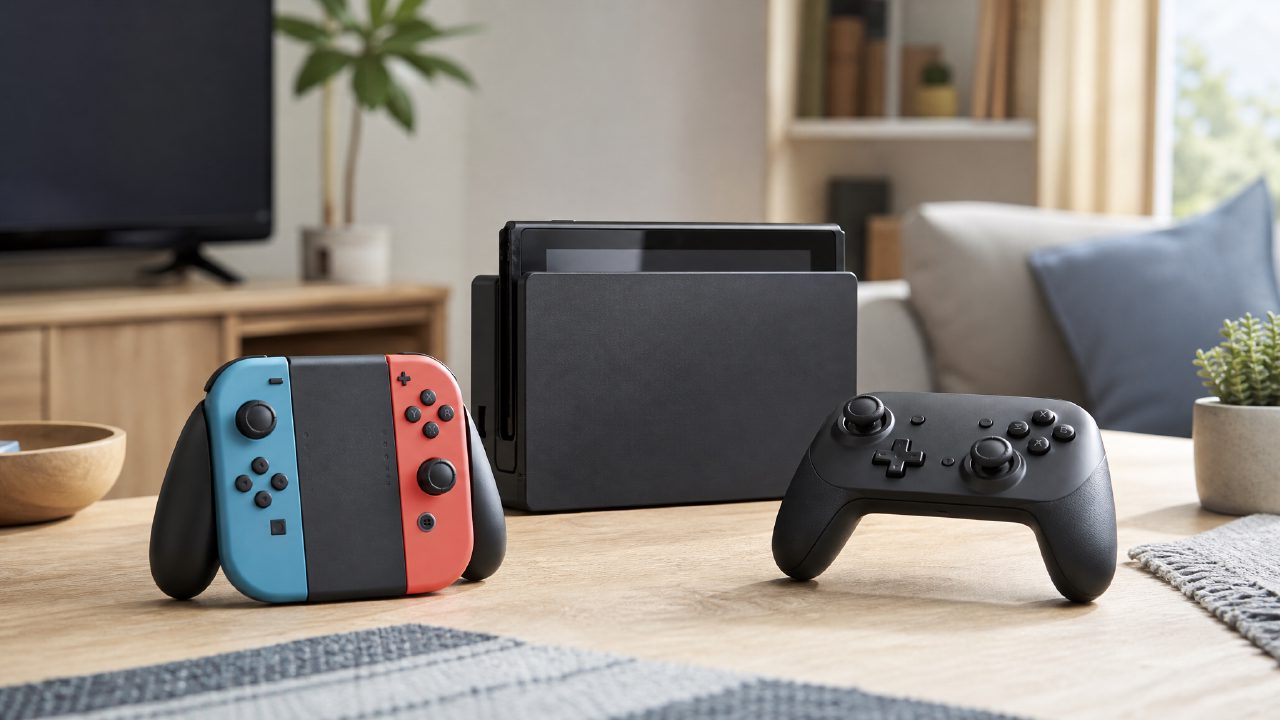
Recently, there have been so many limited-time events on the Switch that it's a bit overwhelming. Event mode, seasonal challenges, online tournaments... Notifications keep popping up saying "Miss it and it's gone." The question is, have you actually tried them all? Or, like me, do you just open one, take a look, quietly exit, and go back to playing Tears of the Kingdom?
I spent about two weeks seriously going through several different types of events. Not every one is worth staying up late for—some are quite disappointing, while others do offer some great finds. This time, I'll focus on a few hardware and software details that really affect the experience when participating in these events.
Controller: Think the Pro Controller is a Sure Bet?
Most events don't require particularly intense control, but if it's a competitive event, like the Splatoon 3 Splatfest or a Fortnite limited-time tournament, the controller directly determines whether you lose or lose less badly.
Joy-Cons are adequate in handheld mode, but during long sessions—especially for players who subconsciously grip the controller when excited—your fingers will go numb after half an hour. My own experience: the Pro Controller does feel better in hand, with more comfortable trigger travel, but if you're playing events that require frequent motion aiming, third-party full-size controllers are heavier, which can actually hinder quick flick shots.
The trade-off depends on whether motion controls or button inputs dominate. For Mario Kart 8 races, where button presses are frequent, Joy-Cons in split mode are actually more agile. But for Super Smash Bros. or Splatoon, it's better to use a controller with a solid grip. Many competitive titles in Switch game recommendations come with their own event modes, so it's worth preparing in advance.
Dock: An Overlooked Heat Trap
Many people just plug the console into the dock and forget about it, but during long event sessions—especially those requiring continuous matchmaking and battling—the dock's heat dissipation is a real issue.
I spent an afternoon playing the Nintendo Switch Sports limited-time league on the official dock. Around the third hour, the back of the console was noticeably hot, and the fan noise increased. More notably, the screen would occasionally drop frames for an instant—only a fraction of a second, but it's fatal when trying to grab the ball.
If you often take part in long event sessions, make sure to leave enough ventilation space for the dock. Don't stuff it in a closed compartment of a TV cabinet. Be cautious with third-party portable docks—narrow docks dissipate heat even worse, and prolonged use might cause the console to automatically go into sleep mode mid-event. I experienced this firsthand, getting kicked out of the room, and the loss was severe.
eShop: Finding the Event Entry Is the Real Challenge
This might be the most frustrating part. Many events aren't accessible by simply clicking on the home screen. You have to open the eShop and find the event entry among a sea of banners. Sometimes it's hidden in "News" or "Channels"; other times you need to navigate through in-game menus.
For example, during a limited-time trial event for indie game recommendations, I had to flip through four or five pages in the eShop to find it. There's actually a "Tryout Party" section on the event page, but it's listed very far down, easy to miss if you're not paying attention. Many limited-time discounts for Nintendo game recommendations are also hidden in special sections rather than shown directly on the price tag.
My advice: bookmark the "Latest Events" or "Deals" in the left menu of the eShop. Check at least once a week, otherwise you might easily miss opportunities to earn gold coins or try free demos. Especially for some online events for two-player Switch games, they are often only available on specific dates; miss them and you'll have to wait for a rerun.
Hidden Value Only Found in Events
Not every event is worth chasing, but some do offer items you can't get otherwise. Things like limited-edition headgear, special skins, or even exclusive in-game redemption codes. These items won't appear in game rankings or game encyclopedias; they can only be unlocked by participating during specific time windows.
But don't let the word "limited-time" hold you hostage. I participated in an Animal Crossing photography event with tedious rules and many requirements, and all I got was a decoration—I had it in the game for three days and then stopped looking at it. Considering the time cost, honestly, I would have been better off playing a couple of rounds of quality indie game recommendations.
Final Practical Advice
If you're really the type of player who likes to chase events, I recommend preparing two things in advance: a dock with good heat dissipation (or an open stand) and a controller that suits your play style. Open the eShop at least once a week to see where the event entries are. Don't wait until someone says "such-and-such event is over" before checking—that feeling is worse than losing a final match.
Events are a nice part of the Switch ecosystem, but they're not everything. Choosing to participate in the types you enjoy will preserve your freshness for the game better than clicking on every event and then quickly backing out.
Comments
Leave a Comment