Nintendo Switch Frequently Asked Questions (FAQ)
Just got a Switch or still hesitating? Many people have more questions than ideas at this stage. How to connect the controllers, whether to buy a dock, where to find games — if you don't figure these out, the console might gather dust. Below, we break down the most frequently asked questions directly.
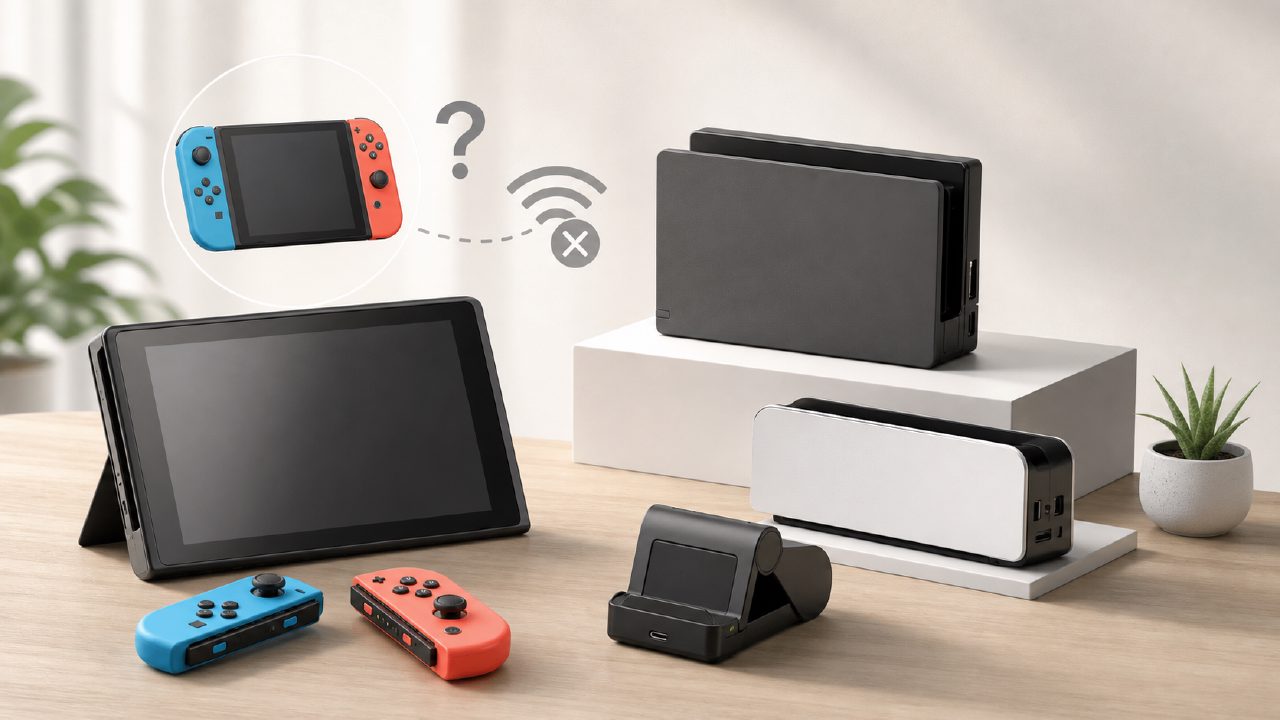
What to do if Joy-Con won't connect to the console?
Most of the time it's not broken, just a pairing logic issue. First check if the controller is fully inserted into the console's rail – you should hear a 'click' sound for a physical connection. If no response, on the home screen select the 'Controllers' icon, then 'Change Grip/Order', then hold down the small black dot on the side of the Joy-Con (next to the SL/SR buttons) for at least five seconds until the LEDs start scrolling. If it still doesn't connect, try fully powering off the console and restarting – this resolves most intermittent Bluetooth issues.
A common pitfall is accidentally connecting to another device. If you've previously connected your Joy-Con to a phone or PC, it will try to reconnect to that device first. In that case, you have to go into Switch settings to re-pair.
Is a dock really necessary?
It depends on two scenarios. If you mainly play in handheld mode and occasionally cast to the TV, the original dock is sufficient. But if you frequently switch between TV and tabletop modes, the original dock's experience isn't great – you have to align the connector precisely when plugging in, and the ventilation space is relatively small.
Third-party docks (such as those with stands or USB expansion) can improve daily use, but there's a risk: unofficial docks may have compatibility issues after firmware updates, and in severe cases can even damage the console. If your Switch is still under warranty, it's recommended to stick with the original; if it's out of warranty, choosing a reputable third-party dock is generally fine, but avoid cheap knockoff brands.
Which Switch model should you buy?
Currently on the market, the main models are the battery-life version and the OLED version. The OLED has a larger screen, better colors, a clear visual improvement in handheld mode, and narrower bezels. The advantage of the battery-life version is that it's a few hundred yuan cheaper. If you mostly play docked on TV, the screen upgrade makes little difference for you.
Another point many overlook: the OLED model's kickstand is a full-width backplate stand with adjustable angles; the battery-life model's kickstand is narrow and unstable, easily tipping over during multiplayer games on a table. If you often play two-player Switch games with friends, the OLED model's kickstand experience is much better.
How to choose between digital and physical cartridges?
The main advantage of cartridges is that you can sell them secondhand to recoup costs – after finishing the game, you can usually recover 60-70% of the price on Xianyu (a Chinese secondhand platform). The downside is that you need to swap cartridges and carry a game case when going out.
Digital versions are convenient – no need to swap cartridges, just switch directly on the console. Plus, Nintendo and third parties often have discount events, and some indie games on sale can be even cheaper than secondhand cartridges. However, digital versions are tied to your account and cannot be resold.
A practical suggestion: for permanent games (like Mario Kart 8, Super Smash Bros., which you might pick up anytime), buy digital; for story-driven single-player games, buy cartridges and sell them after finishing.
What are the must-play Switch games?
There's no standard answer; everyone's tastes differ greatly. A safe approach is to start with Nintendo's first-party titles – The Legend of Zelda: Breath of the Wild, Super Mario Odyssey, and Animal Crossing: New Horizons – these three are generally foolproof and are many people's entry points. For multiplayer fun, look for Switch game recommendations like two-player Switch games such as 'Snipperclips' and 'Overcooked 2', which really test your friendship.
If you like indie titles, besides Nintendo game recommendations, also check out indie game recommendations like Hollow Knight, Stardew Valley, and Hades – these are especially enjoyable in handheld mode, perfect for a quick session during commutes. If you're stuck, look up game guides and game encyclopedias, which many communities have compiled in detail. If you have trouble deciding, just browse game rankings from high to low scores – it's generally reliable.
Do you need a membership for online play?
Most online games (like Splatoon 3, Mario Kart 8 Deluxe) require a Nintendo Switch Online membership. Individual membership costs about 100+ RMB a year, while a family membership can be shared among up to eight people, bringing the cost down to around 30 RMB per person per year. Xingba offers family membership pooling services, making it quite affordable to find people to split with. Additionally, the membership includes access to FC/SFC emulator game libraries and exclusive bonuses for certain games.
However, there are also some games that don't require a membership to play online – such as Fortnite, Genshin Impact, Fall Guys, and other third-party free-to-play games. If you only play these, you don't need to rush to buy a membership.
What to do if storage space is insufficient?
The Switch's internal storage is only 32GB (battery-life version) or 64GB (OLED version), which fills up quickly with a few major titles. A digital copy of The Legend of Zelda: Breath of the Wild alone takes 13GB, and with DLC it's easily 16GB+. It's recommended to buy at least a 128GB microSD card – they're not expensive nowadays. Note that the Switch only supports the UHS-I standard, so you don't need the fastest card; latency makes no difference.
Also, if you only buy cartridges, the cartridges themselves don't take up internal storage (save files and update patches do), so the built-in space might be barely enough. But it's still advisable to have a card just in case.
A final word
The Switch is not perfect: the screen quality is average, its performance is generations behind the PS5, and the Joy-Con may drift after prolonged use. But it has a unique advantage – seamless switching between handheld and console modes, a flexibility that makes many gaming experiences completely different. First get these issues straight, then make a choice based on your actual usage scenario – that's much more reliable than buying based on others' recommendations only to let it gather dust.
Comments
Leave a Comment