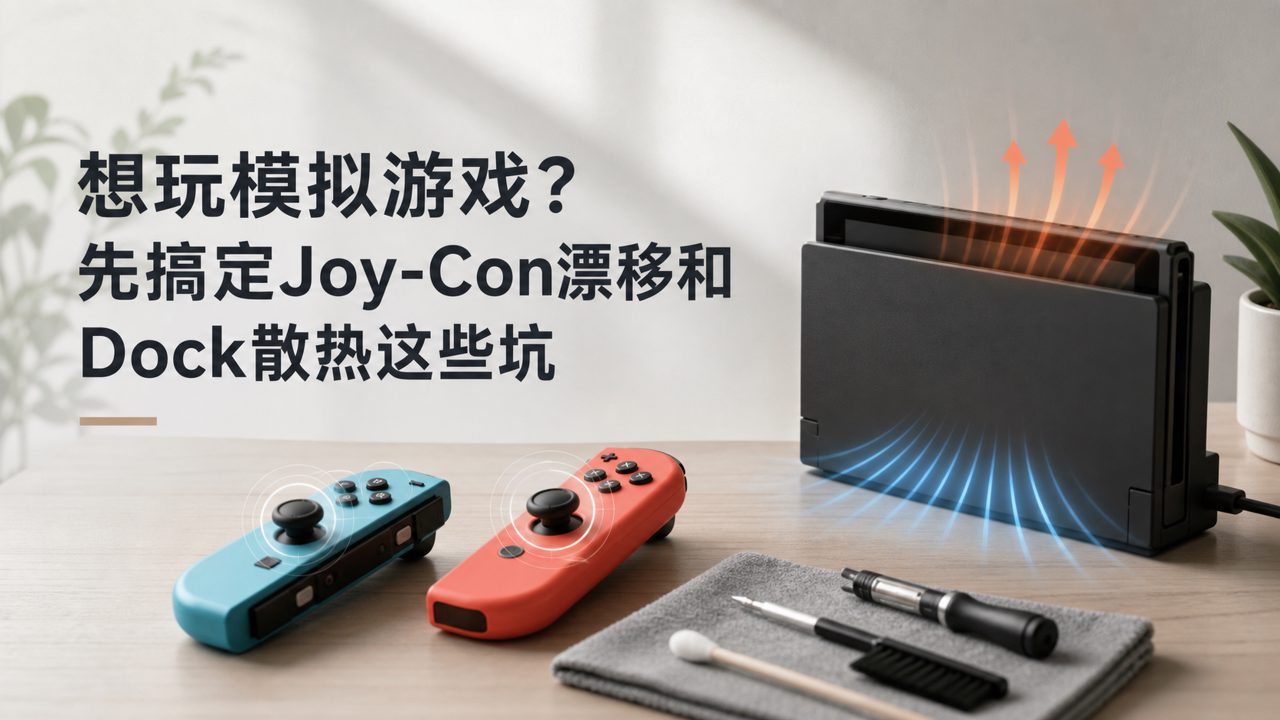
Want to seriously play some simulation games, but the equipment frustrates you before you even start.
Either Joy-Con drift causes the excavator to veer into the ditch, or the DualSense key mapping gets messed up when connected to the Switch. Not to mention the original dock that after half a year has heat vents so small they're practically decorative — once the machine heats up, the frame rate drops to a slideshow.
If, like me, you're into slow-paced farming sims like Stardew Valley and Animal Crossing: New Horizons, or city-building games like Cities: Skylines where you take it step by step, the sluggishness of the equipment is actually more off-putting than the game's difficulty itself. This article compares several common setups horizontally, telling you which one suits which playstyle, and which ones are pure traps.
Original Joy-Con vs. Temporary Alternatives: Where Is the Achilles' Heel for Simulation Games?
Simulation games demand more from joystick accuracy than action games. When I'm hoeing in Harvest Moon, if the direction is off by just one degree, I have to press again for the next patch of soil. Over time, just correcting skewed input paths wastes half an hour. The original Joy-Con is certainly worry-free, but the drift issue is a well-known time bomb.
On the other hand, many third-party controllers are cheap but have overly large joystick dead zones. Playing simulation mini-games like It Takes Two is tolerable, but when it comes to farming sims that require fine adjustments, lightly pushing doesn't water the crops, and pushing hard over-waters them — an experience that makes you want to smash the console. I've personally used two budget domestic alternatives, and the conclusion is: if you mainly play simulation management games from recommended Switch games, just buy original Joy-Con or third-party with Hall effect sensors; don't skimp on joystick accuracy.
Dock Cooling Debate: Who Is Prolonging Your Console's Life?
Simulation games don't fully utilize the GPU like action games, but they excel at long play sessions. Stardew Valley players often play for hours non-stop, with heat concentrated at the dock connection. The original Dock's heat vents are extremely conservative, and after extended use, the console body becomes noticeably hot.
I compared three third-party docks — the Skull & Co. Core Drive has much larger vents than the original and an additional auxiliary fan inside. In a real test running Dyson Sphere Program for three hours, the console temperature was nearly 6°C lower than with the original dock. Another purely portable dock without a fan is essentially a scaled-down version of the original — cheaper, but no improvement in cooling, so it's not worth adding.
Simulation titles in recommended Nintendo games mostly don't demand extreme graphics, so cooling issues are often overlooked. But when running strategy sims like Civilization VI, the cooling difference between docks directly affects long-term play stability. Every time it gets too hot to touch, it's a reminder — time to change the dock.
Simulation Games: Solo Fun vs. Group Fun — Controller Choices Must Be Scenario-Specific
Many people think simulation games are for solo play behind closed doors, but that's not the case. I tested several cooperative simulation titles in two-player Switch games, such as Overcooked and Stardew Valley's multiplayer mode, both requiring players to coordinate under high-density operations. In such cases, one set of Joy-Con per person is actually the best solution, because splitting into small controllers gives each player their own independent input zone without interference.
But if it's an asymmetric simulation game like Two Point Hospital, where one person handles layout and the other handles finances, then the grip comfort of a third-party Pro controller far surpasses the Joy-Con. After all, holding Joy-Con for long periods causes sore knuckles; the enveloping feel of a Pro controller is much better for extended sessions.
Simulation titles make up half of recommended indie games. Many excellent works only support single-player mode, like Dave the Diver and Spiritfarer. In that case, there's no need to worry about multiplayer controller setups; just focus on choosing one with smooth joysticks and clear button feedback.
Game Library Management Comparison: Digital Vouchers, Family Memberships, or Used Cartridges — Which Is Most Cost-Effective?
Simulation games have a characteristic: it's hard to know if you'll like a certain style. For vertical genres like Euro Truck Simulator and Farming Simulator, a ten-thousand-word review from others is not as good as driving a couple of rounds yourself. So controlling the cost of initial trial and error is important.
Buying digital versions during sales is undoubtedly the most flexible, especially for some lesser-known simulation gems on game rankings, where the discounted price is often cheaper than a pour-over coffee. Family membership sharing is another option, provided you can find like-minded people—one person buys Stardew Valley, and the whole family shares it, covering all consoles with one investment. But be aware that sharing doesn't allow two to play online simultaneously; multiplayer simulation games require separate copies.
Cartridge resale value is relatively weak in simulation games, because these games don't have a strong "finish and sell" nature. Many people return after a few months to start new farms or rebuild cities. Several Cities: Skylines players I know have been fine-tuning their saves for a year, and their cartridges have never been removed from the console once inserted.
The simulation game categories listed on game encyclopedias are quite diverse, from hardcore Microsoft Flight Simulator to casual Animal Crossing: New Horizons, so purchase strategies vary completely. My advice: for niche indie simulation titles, start with a low-cost digital version; for annual blockbuster simulation series, go directly for cartridges to avoid digital versions gathering dust long-term.
Final Thoughts: Match Equipment to Gameplay, Don't Settle the Other Way Around
The charm of simulation games lies in "doing your own thing at your own pace." So whether it's Joy-Con or third-party docks, the selection criteria should first align with the type of simulation you play regularly. If you like fine control, choose high-precision joysticks; if you prefer marathon sessions, prioritize cooling solutions; if you want to save money with roommates, go for family membership sharing.
Don't let hardware slow down your planting speed, and don't let the dock eat into your summer night island time.
Comments
Leave a Comment