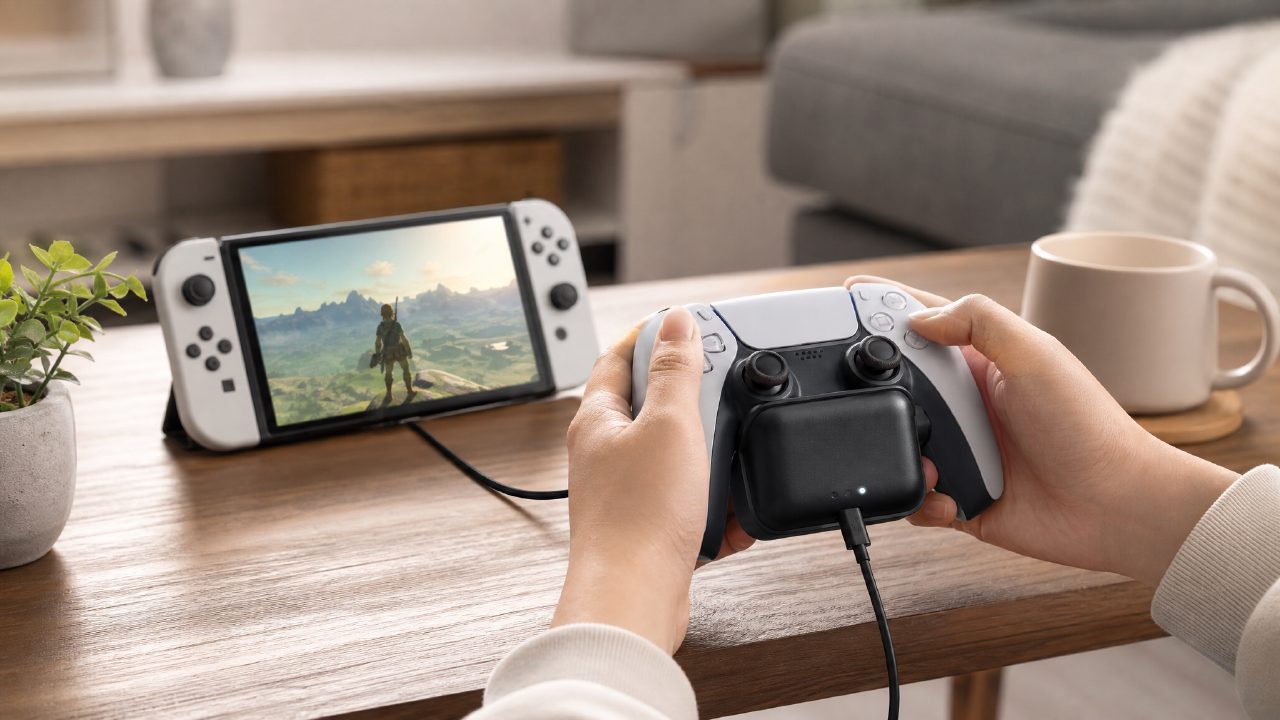
Emergency rescue: When a controller dies mid-co-op game
I invited a friend over on the weekend, ready to dive into a few rounds of Overcooked—you know, the kind of chaotic, addictive two-player Switch game that's hard to stop once you start. But right after picking a level, your Joy-Con starts flashing red. Did you charge the other pair? Nope. That's when you happen to have a Charging Grip nearby… So, can it actually save the day? Let's walk through it.
Scenario: You have a charging dock, but it's separate
Most people buy the kind of charging dock with two slots—just pop the Joy-Con in and they charge. But what I have here is a Charging Grip—essentially a grip-shaped charger with a battery compartment that you slide the Joy-Con into, then power via USB-C.
The steps are simple:
1. Slide the dead Joy-Con (left or right) into the Grip's rail until it clicks into place.
2. Grab the USB-C cable that came with your Switch dock (or any power-capable C cable) and plug it into the port at the bottom of the Grip.
3. Plug the other end into your Switch dock, a charging brick, or even a computer USB port. Note: the charging brick should be at least 5V/1.5A, or it'll charge very slowly.
4. Wait about 25–30 minutes; the light changes from red to green, and you'll get roughly two to three hours of full power.
Then hand the fully charged Grip directly to your friend—they'll play with it, and the feel is way better than a bare Joy-Con. Meanwhile, you swap in the other pair, and by the time your friend finishes a round, that pair is mostly charged too. The whole process doesn't interrupt the game flow.
Why is this more practical than a regular charging dock?
A regular charging dock requires you to take the Joy-Con off and place them on it—but what about the pair you're currently using? Unless you own two pairs of Joy-Con. With the Charging Grip, it's already a controller. Once charged, just hand it to your friend—no extra plugging or unplugging.
Also, many cheap third-party portable charging grips are actually "wired power only"—no built-in battery. That means once you unplug the cable, they stop working immediately. But the Charging Grip has a built-in battery (usually around 1000mAh), so after a full charge, you can unplug and keep playing for hours—true "wireless life extension."
A few real-world limitations
It can't charge both left and right Joy-Con at the same time—one Grip holds only one Joy-Con. So if both you and your friend need emergency charging, you'll need two Grips, or take turns.
Secondly, it's noticeably heavier than a regular charging dock. If you're used to tossing your Switch into a bag for on-the-go gaming, carrying an extra Grip adds some weight. But if you mostly play at home or a fixed location, that weight is negligible.
One more thing easily overlooked: When the Charging Grip is charging, the Joy-Con rail stays powered and gets warm. Leaving it plugged in unused for long periods isn't great for battery lifespan. So charge it only when needed—don't keep it plugged in as a permanent dock.
What problem does it actually solve?
At the end of the day, the Charging Grip doesn't solve "charging" itself—a dock can do that. What it solves is the awkward scenario of wanting to play while charging without being tethered by a cable, while also giving your friend a comfortable controller. Especially when you pull out those Nintendo game recommendations that require two players back-to-back, missing one controller means missing out on half the experience.
If you often gather at a friend's place for two-player Switch games, or you regularly play indie game recommendations that demand long sessions (like Hades or Hollow Knight), the Charging Grip is more cost-effective and flexible than buying a separate pair of Pro Controllers. It also helps when you're short on controllers—because from game rankings to game encyclopedias, there are just too many great games meant for two players.
The honest bottom line
The Charging Grip isn't a necessity, but if you've ever had a friend over and found the controllers dead, it pays for itself. Just check compatibility before buying—the old Switch and new OLED Joy-Con rails are the same size, but the charging grip's battery output may vary slightly. For something around $20-30 that keeps your weekend gaming sessions uninterrupted, I'd say it's well worth it.
Comments
Leave a Comment